

Background noise—whether it’s air conditioner hum, computer fan noise, or room rumble—can destroy an otherwise great vocal take.
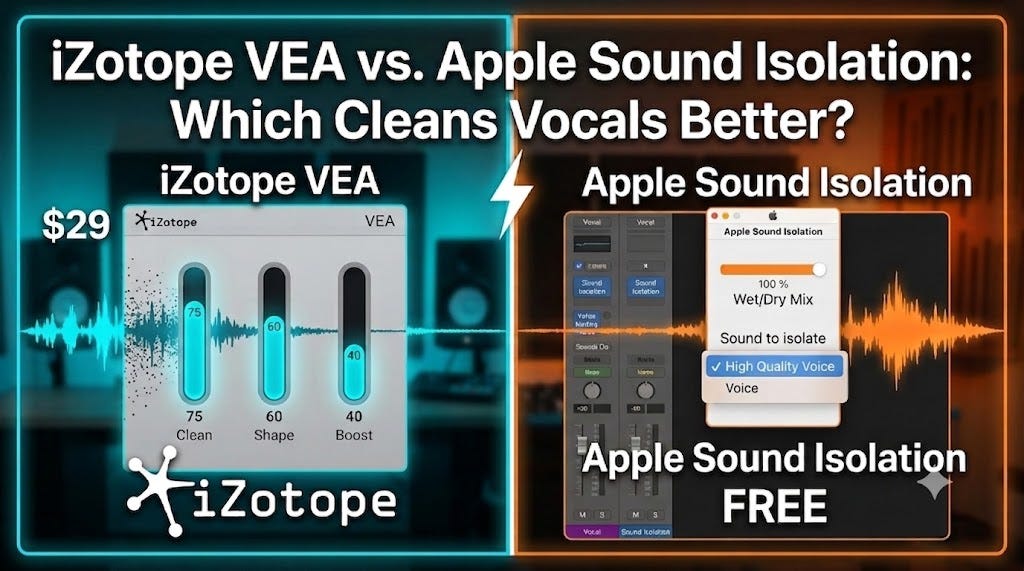
In our latest video tutorial, we pit iZotope VEA ($29) against Apple’s built-in Sound Isolation plugin (Free on macOS) to see which one removes background noise fastest while keeping your voice sounding natural and full.
Check out the full comparison and screen-reader-friendly workflow tutorial below:
🎛️ The Golden Rule of Vocal Processing Order
One common mistake in vocal production is placing cleanup plugins in the wrong position within your plugin chain.
If you apply EQ or compression before removing background noise, you inadvertently boost the noise floor, making it twice as hard to clean up later.
Here is the ideal 5-step order for processing vocals or spoken-word dialogue:
Audio Cleanup & Restoration: Start here. Use tools like Apple Sound Isolation, iZotope VEA, or RX to strip away hum, room noise, and clicks from the raw recording.
Pitch & Time Correction: Apply pitch correction (Auto-Tune, Logic Pitch Correction or Flex Pitch) and time alignment (VocAlign, Revoice Pro, or Logic’s Groove Tracks) after the noise is removed so the algorithms track cleaner signals.
Tone & Dynamic Shaping: Insert your core EQ, Compression, and Saturation to shape the tone and control the vocal dynamics.
Modulation: Add effects like Chorus or Flangers to widen or color the vocal. Can be on AUX Sends.
Time-Based Effects (Reverbs & Delays): Finish with spatial effects—typically routed via AUX Send tracks to keep your primary vocal crisp and clear.
🛠️ Quick Comparison: VEA vs. Sound Isolation
Apple Sound Isolation (Free): Included in macOS Systems as an Audio Unit plug in. Because it is a macOS AU plugin, you can run it in Logic Pro, Reaper, Ableton, or any DAW on Mac that supports AU plugins. It features a simple 2-parameter workflow that cleanly separates voice from background ambient noise.
iZotope VEA ($29): Combines core audio cleanup from iZotope RX with subtle tonal shaping features from Nectar. It uses 3 primary controls to clean, shape, and boost vocal tracks simultaneously.
Watch the full tutorial above to hear both plugins tested side-by-side in a real-world mix with full processing!
⏱️ Video Highlights & Timestamps
0:00 – Introduction
1:26 – iZotope VEA Feature Overview
2:38 – The 3 Core Parameters (RX & Nectar Integration)
2:56 – Live Demo: Removing Air Conditioner Hum with VEA
4:38 – Accessible Audio Production Tips for Blind & Visually Impaired Producers
5:14 – How to Find & Load Apple’s Sound Isolation Plugin
6:18 – Understanding Sound Isolation’s 2 Controls
7:25 – Live Demo: Removing Aircon Noise with Sound Isolation
7:55 – Pros & Cons: VEA vs. Sound Isolation
9:08 – In-The-Mix Comparison (with EQ, Compression, Delay, & Reverb)
9:50 – Final Thoughts & Summary
🔗 Key Links & Resources
🎓 Free “Getting Started with Logic Pro” Course: Get Your Free Course
🪄 Logic Magician (Accessibility Tool for Logic Pro): Learn More & Download | Watch the Playlist
🎙️ 1-on-1 Coaching & Custom Mixing: Work With Me
🎧 Listen to the Released Song: Watch on YouTube
🎛️ iZotope VEA Details: Official iZotope Page
💬 Connect & Join the Community
Have questions about setting up accessible workflows or choosing the right plugins? Drop a comment on this post or join our community:
Discord: Join the Community Server
Twitter / X: @blindlogicpro
Facebook: The Blind Logic Pro
Instagram: @theblindlogicpro